
The 'Summary' tab on the overview page of your GoldFynch case provides a snapshot of your case. From here, you can also view the processing status of files that are being processed - such files are referred to in GoldFynch as "in-flight" (processing, staged, awaiting password, awaiting data)
Viewing the in-flight status of files that are being processed
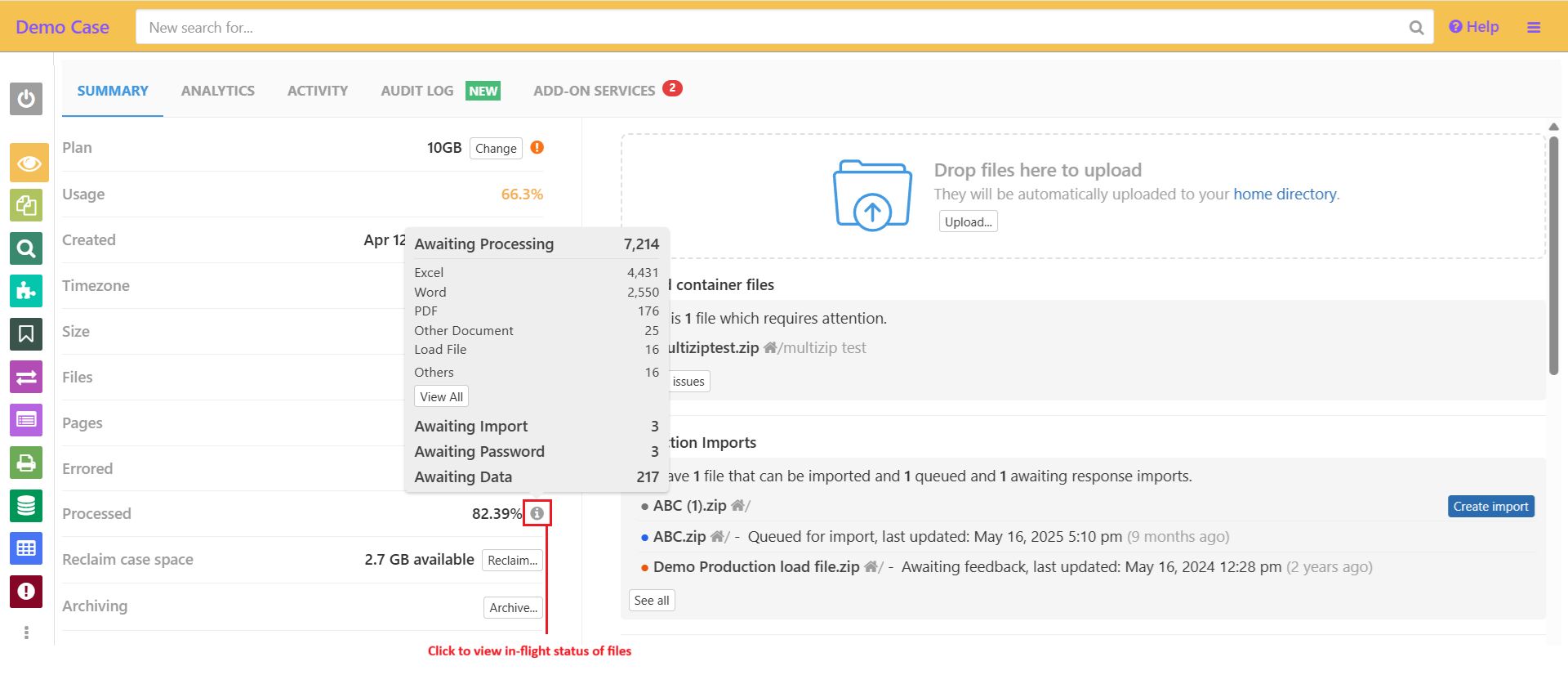
1. Log in to your GoldFynch account and navigate to your case. By default, the 'Summary' tab on the overview page will be displayed
2. Click on the information icon against the 'Processed' line item on the page. Here, the status of files that are still being processed will be displayed.
Note:
- The information icon will be displayed only if there are files still being processed
- You can view files that have the processing states:
- Awaiting Processing
- Awaiting Password
- Awaiting Import
- Awaiting Data
- Staged
- You can also see the file types of files that have the "Awaiting Processing" state
Learn about how long it can take to process your files here.